Light Up My Everyday Life
Brighter than macOS allows.
Darker than its minimum.
Boost supported XDR displays into their available EDR headroom for bright spaces, or use Eclipse to dim any Mac display below the usual minimum after dark. One focused menu-bar app, with battery-aware safeguards built in.

Free download · Pro unlock $2.99 · No account · App collects nothing
Not on your Mac? Email this link to your Mac
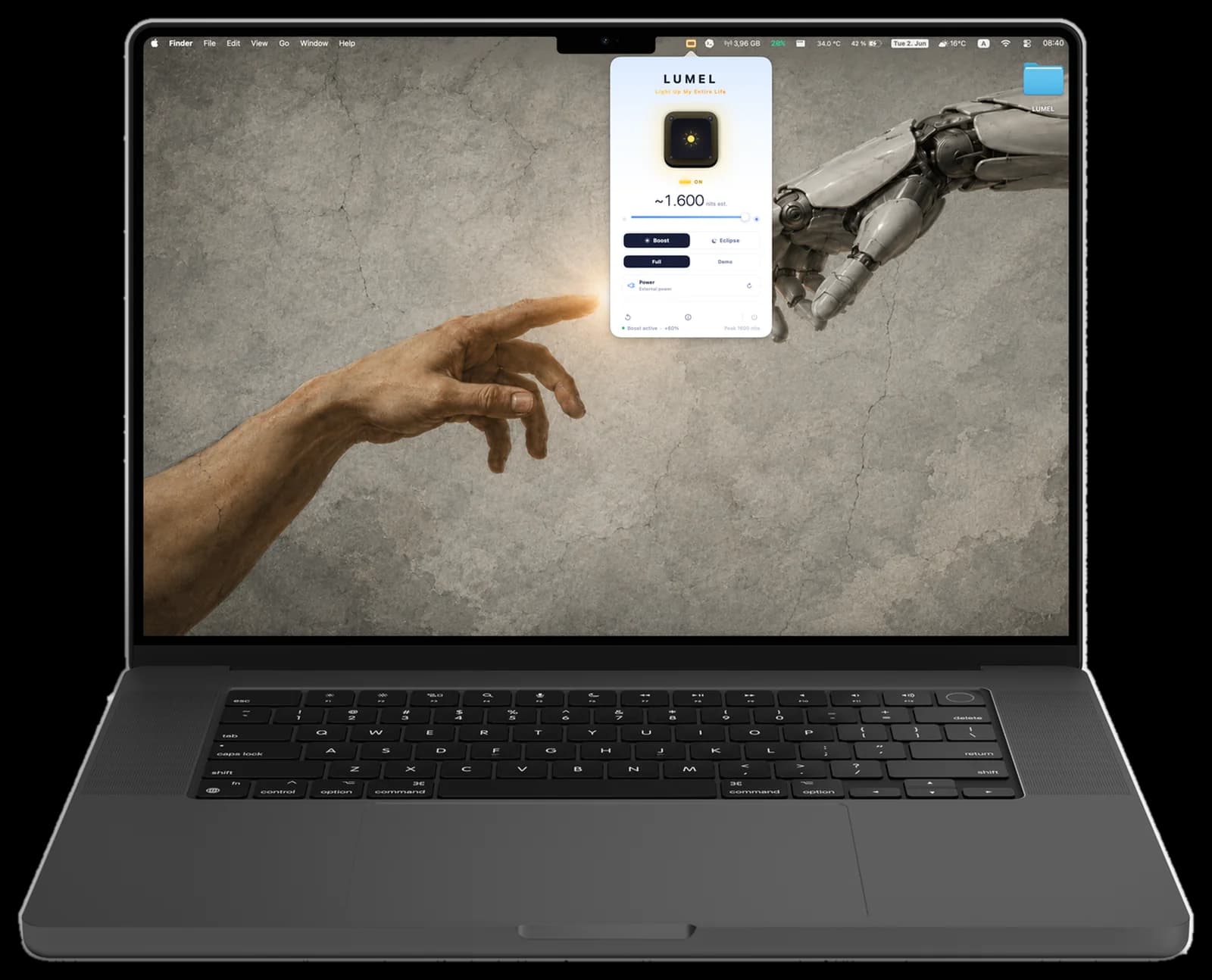
Light Up My Everyday Life
Other apps show you a screenshot.
Move the slider.
Drag to watch the display push past the standard limit, then below it. The thing you came here to feel, before you spend a cent.
Lives in your menu bar
One click. Full control.
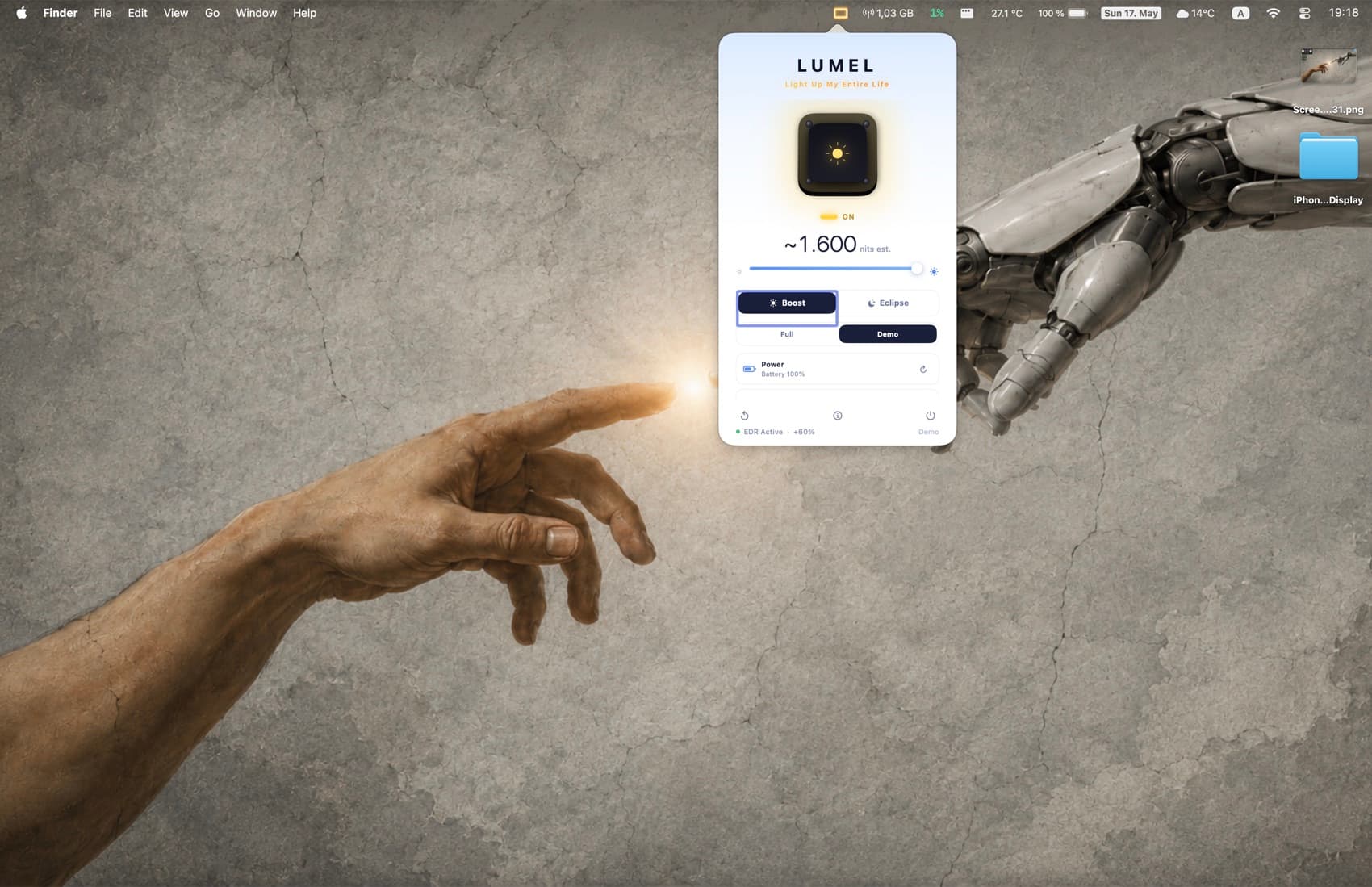
No window to manage, no dock icon in the way. LUMEL sits in the menu bar and opens a single, focused panel - exactly what you need, and nothing you don't.
- A live slider from standard brightness into available EDR — or below the minimum
- Boost and Eclipse, one tap apart
- Battery status, threshold, and a one-tap reset, always in reach
Boost mode
When glare wins, win it back.
A supported XDR display can report EDR headroom above its standard range. LUMEL uses that available headroom without promising a fixed nit value; the display and macOS keep control of the ceiling.
Eclipse mode
When the lights go out,
your screen should too.
macOS stops dimming at a fixed floor. In a dark room, that floor can still feel like a flashlight. Eclipse takes the display gently below it - for reading in bed, watching in the dark, and tired eyes at 2am.
Considered down
to the detail.
A focused two-way Mac brightness app: brighter than the usual macOS range on supported XDR displays, and darker than the minimum on any Mac display. Free to download, privacy-first, battery-aware, with a $2.99 one-time Pro unlock and no subscription.
Battery-aware safeguards
Set a threshold from 10% to 50% and boost switches off automatically. Low Power Mode disables it too. Your day stays protected.
Optional auto-off timer
Turn on a timer (30 minutes, 1 hour, 2 hours) and boost ends on its own. Off by default. Sustained brightness never sneaks up on you.
Per-display on/off, remembered
Turn boost on or off for each display. Your choices survive reconnects, sleep, and hot-plug thanks to stable display identifiers.
Private by architecture
No analytics, no telemetry, no accounts. Sandboxed with no network entitlement, so the app cannot send data off your Mac.
How LUMEL compares.
A focused, private brightness utility at a small price. Here is the honest picture against the apps people ask about - including where we trade a feature away.
| Capability | LUMEL | Vivid | BrightIntosh | LumiMax |
|---|---|---|---|---|
| Direction | Both — boost + dim | Both — boost + Eclipse dim | Brighten only | Brighten only |
| Price | Free; Pro unlock $2.99 | €10 direct; $24.99 on the App Store | $1.99 in-app | $16.35 + 10% fee direct |
| Brightness claim | Uses available EDR headroom; hardware-dependent | 1000 nits sustained; App Store references XDR up to 1600 | Up to 1000 nits | Up to 1600 nits |
| Below-minimum dimming | Yes — Eclipse | Yes — Eclipse mode (since 2.0) | No — brighten only | No — brighten only |
| Battery automation | Yes | Yes | Yes | Yes |
| Configurable auto-off timer | Yes | No public evidence | Yes | No public evidence |
| Free tier / trial | Free tier: Compare boost + full Eclipse | Unlimited split-screen trial | 3-day trial | 3-day trial |
| Native brightness keys | No (sandbox tradeoff) | Yes | Yes, after activation | Yes, Pro |
| Privacy | Sandboxed, no network entitlement | App Store: data not collected | App Store: data not collected | States: no data collected |
"No public evidence" means we could not confirm the capability from public sources at the time of writing, not that it is necessarily absent.
Last verified: July 3, 2026.
Honest about your display
LUMEL boosts using your display's built-in extended dynamic range, the same range macOS uses for HDR. Here's the straight story on safety, with no overpromising.
Within the hardware's limits
Your Mac's display firmware enforces its own thermal limits. LUMEL cannot drive the panel beyond what the hardware already permits.
No burn-in
The mini-LED and LCD displays LUMEL supports do not suffer the burn-in that affects OLED screens.
Built for bursts
Like any screen kept bright for a long time, sustained boost runs warmer. LUMEL is made for bursts, with an optional auto-off if you want it.
Independent product
Built by Kapisch Bhardwaj
Direct founder support, with no account system between you and the person building the app.
Public support
Docs and issue trackerReview release information, report a problem, or follow known compatibility work on GitHub.
Free to download. Pro is yours forever.
Boost in Compare and dim with Eclipse free, forever. LUMEL Pro unlocks full-screen boost - one purchase, no subscription, no account.
LUMEL Pro - for Mac
Free to download. LUMEL Pro unlocks full-screen boost — a one-time $2.99 purchase, no subscription.
- Full-screen boost on every compatible EDR/XDR display
- Eclipse dimming below the minimum — free
- Battery-aware safeguards + optional auto-off timer
- Per-display on/off, remembered across reconnects
- Global keyboard shortcut
- Free updates, no subscription, no account
Requires a supported XDR display.
Questions, answered.
Your MacBook XDR display is rated for far higher brightness than the standard range macOS exposes for everyday content — the same range it already uses for HDR video. LUMEL uses Apple's public Extended Dynamic Range rendering to make that headroom available outside HDR content.

Complete the Mac picture
Power understood. Display under control.
LUMEL controls what your display is doing. Mac 4 Breakfast explains what the battery underneath it is doing — health, power flow, heat, sleep drain, and charging context.
Free to start · Private on-device app · One-time Pro purchase